™
A whiteboard that fits in your pocket.
Every coach has drawn a play in the dirt with a bat. This is that, on your phone or tablet, with the whole defense already standing there. Try it:
A baseball field with all nine fielders in their spots, a batter at home, runners on 1st and 3rd, and a ball near the shortstop. Drag a player or the ball to move it, or tap Draw and draw on the field with a finger or mouse. On a keyboard, Tab to a player and use the arrow keys.
Everyone in position
All nine players on the field from the start. Put runners on in one tap: 1st and 3rd, bases loaded.
Move it, draw it
Slide anyone anywhere, roll out up to three balls, and draw routes and throws with your finger.
Load any real play
Pick the situation and the app draws every step. Stop it anywhere and show what went wrong.
Put it on the TV
One link mirrors your whiteboard live on any TV or laptop. Good for rainouts and team meetings.
New: Dugout mode
Game day, on one screen.
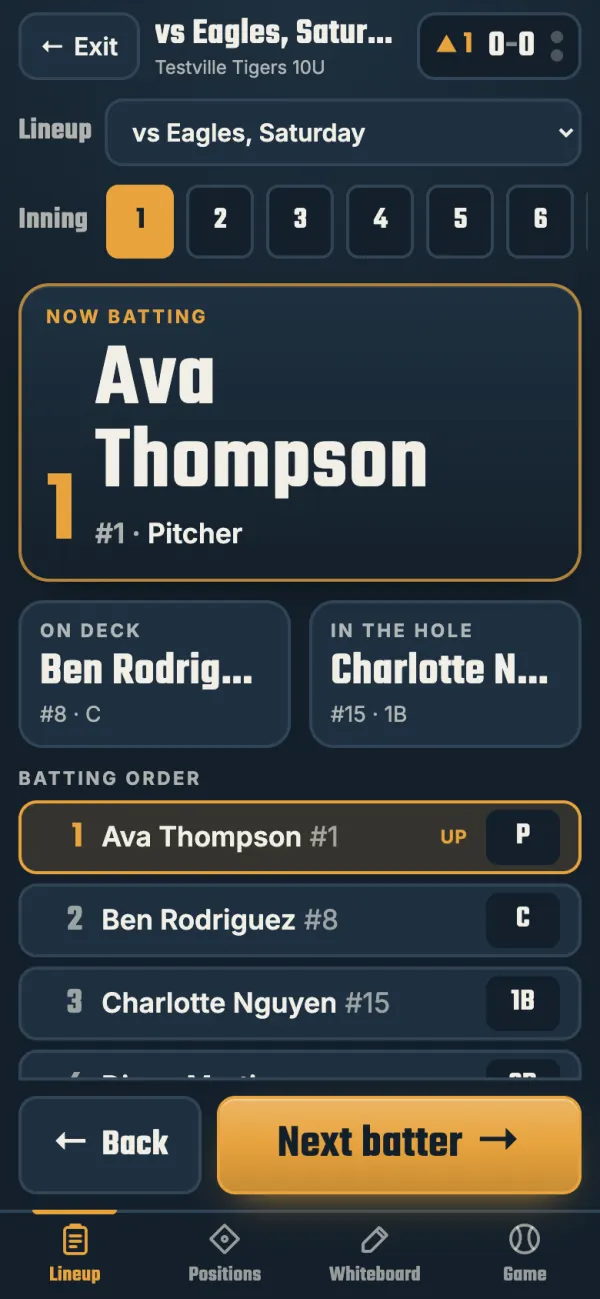
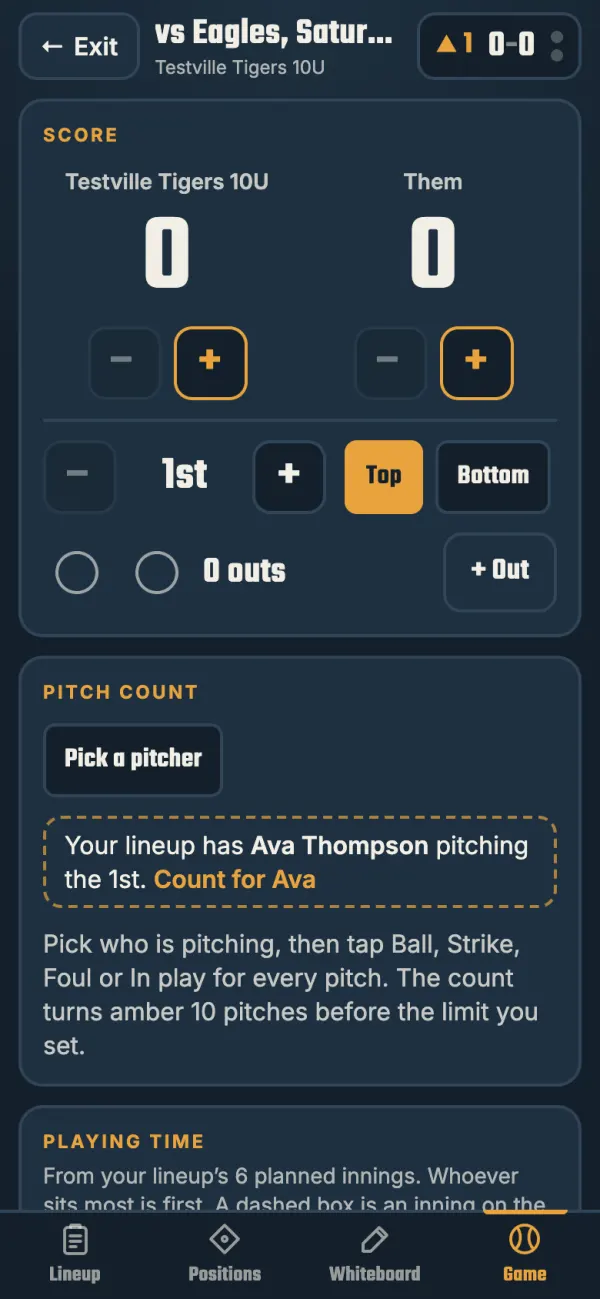
Open Dugout mode before the first pitch and the lineup card, the clipboard and the scorebook are all on your phone.
Who's up
The batter, on deck and in the hole, in big type. Next batter is one tap.
Positions by inning
Your lineup's defense for every inning, so nobody has to ask where they're playing.
Score, outs and the count
Runs for both teams, the inning, outs, balls and strikes.
Pitch counts and playing time
A count for each pitcher that turns amber as the limit gets close, and who has sat the most.
The whiteboard, right there
Draw the play you want between innings without leaving the screen.
Made for the field
The screen stays on, and your lineups are saved on the phone for when the signal drops.
Everything else a coach needs.
A new team is set up in four steps: name it, invite players, get them signed in, and send a first challenge.
Challenges
Send a level, a position, a situation, your own play or a YouTube clip. The team races it on a leaderboard.
Weak spots
See exactly what your team keeps missing (which position, on which play) and send it back as a quiz.
GameChanger stats
Upload your GameChanger export and game stats sit beside each player's scores. It can add your whole roster, too.
Alerts
Players' phones buzz when you send something. No chasing anyone in the group chat.
Get your team on it before Saturday.
Start your team now: name it, pick a username and password, and you’re in. Free for every team through 2026.